iris
MARITIME PMS
Welcome aboard
Features

Everything a fleet needs to stay ready

Planned maintenance at the centre, with the records around it that inspectors, owners and the office ask for.

Planned maintenance

Every job on every machine, due by date or running hours, so nothing is missed between dry-docks.

  • Equipment tree per vessel (main engine, generators, pumps, deck machinery…) with makers, models and serial numbers
  • Job library with a starter set of standard jobs: intervals by calendar, running hours or both, with grace periods
  • Due list and overdue alerts, job cards with steps, readings, spare parts used and sign-off
  • Postponements and critical / class jobs need superintendent approval, with the reason recorded
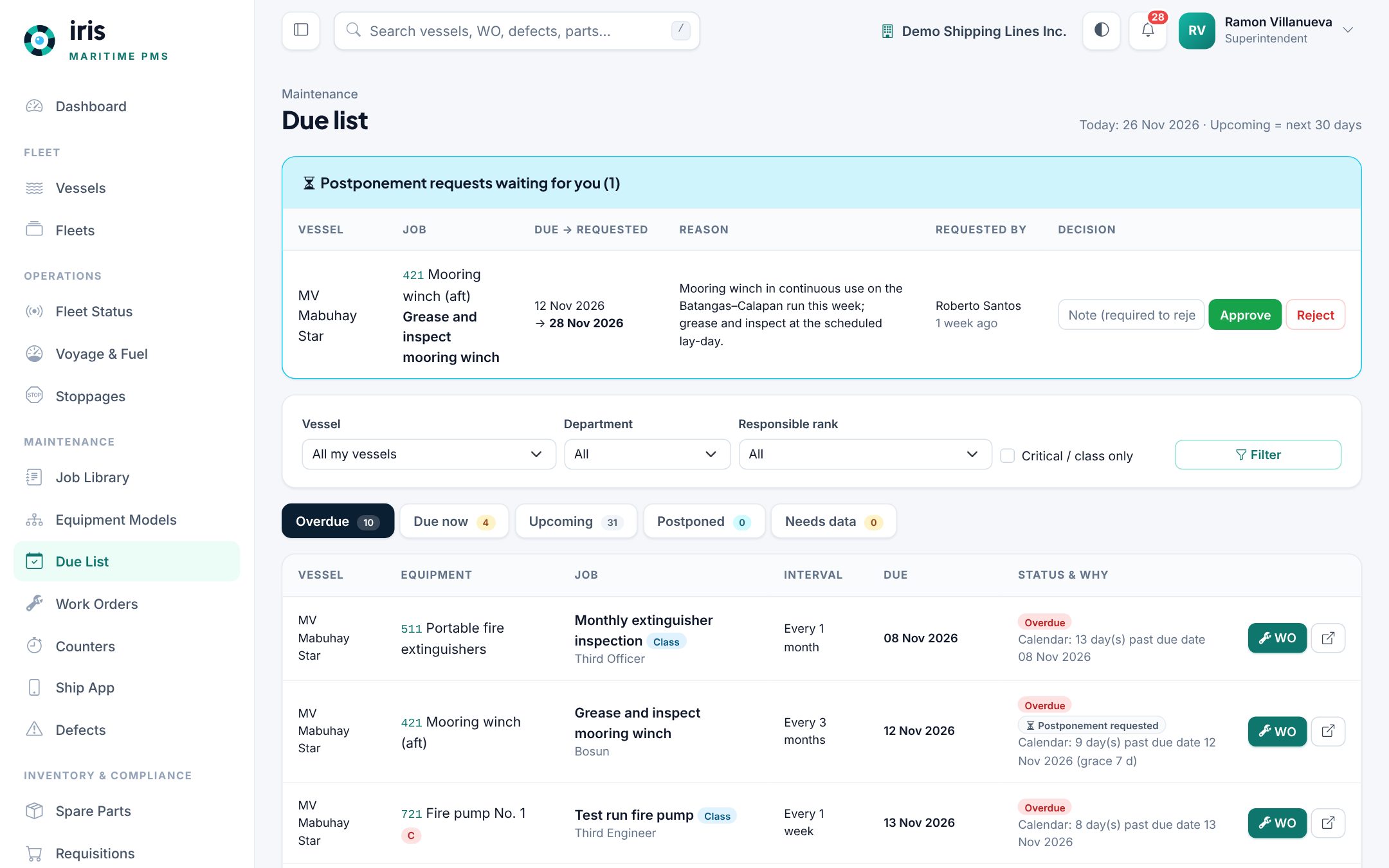
Planned maintenance in IRIS

Running hours & counters

Engine hours from the ship move the due dates by themselves.

  • Running-hour counters per machine, entered on board or from the ship app
  • Stale-counter warnings when hours are not reported
  • Next due recalculated from the hours and the job interval

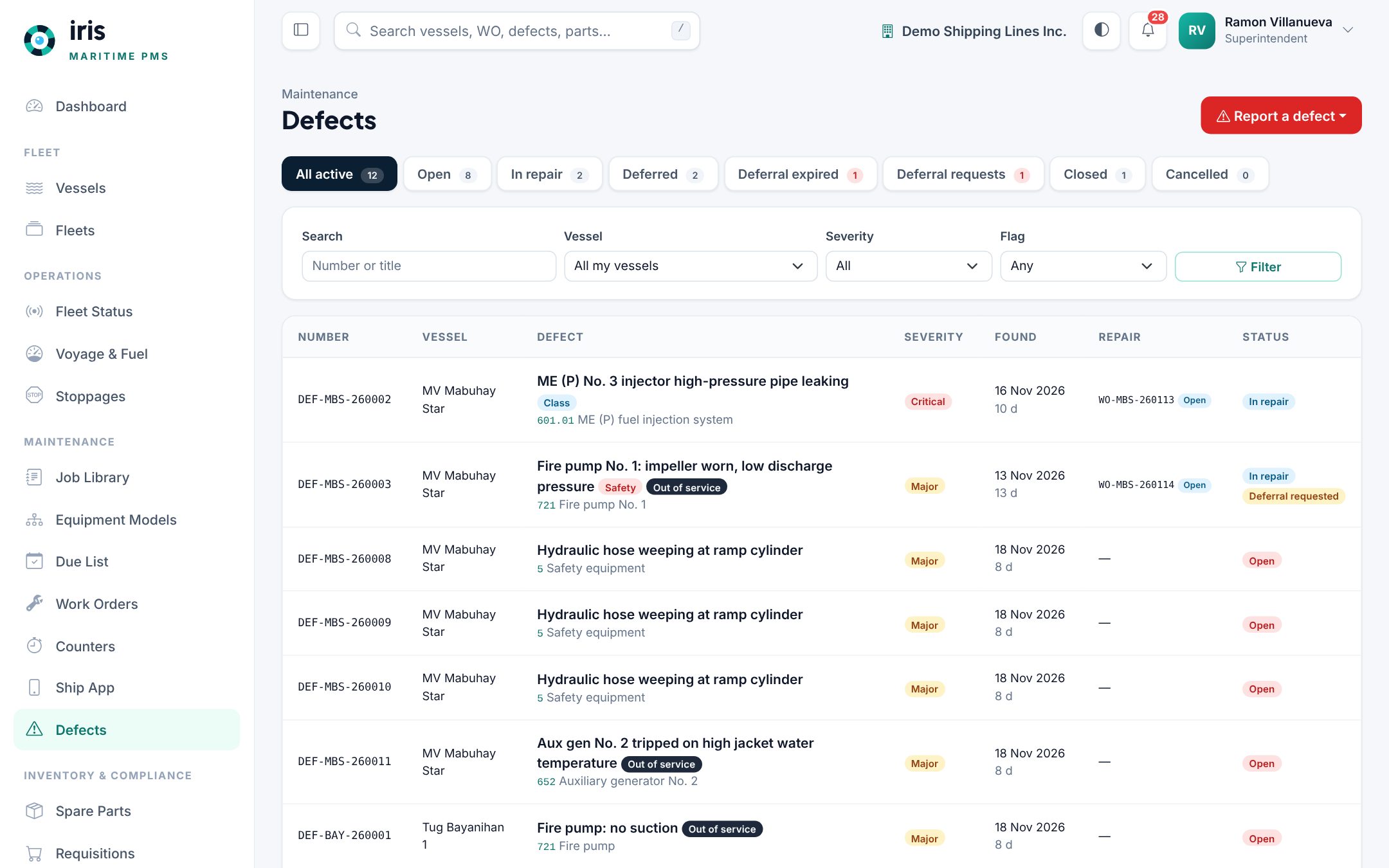
Defects & deferrals

Report a fault with a photo in seconds; the office sees it and decides.

  • Defects with priority, photos and the equipment concerned
  • Deferral requests with a target date and approval
  • Critical defects can alert the office by SMS
Defects & deferrals in IRIS

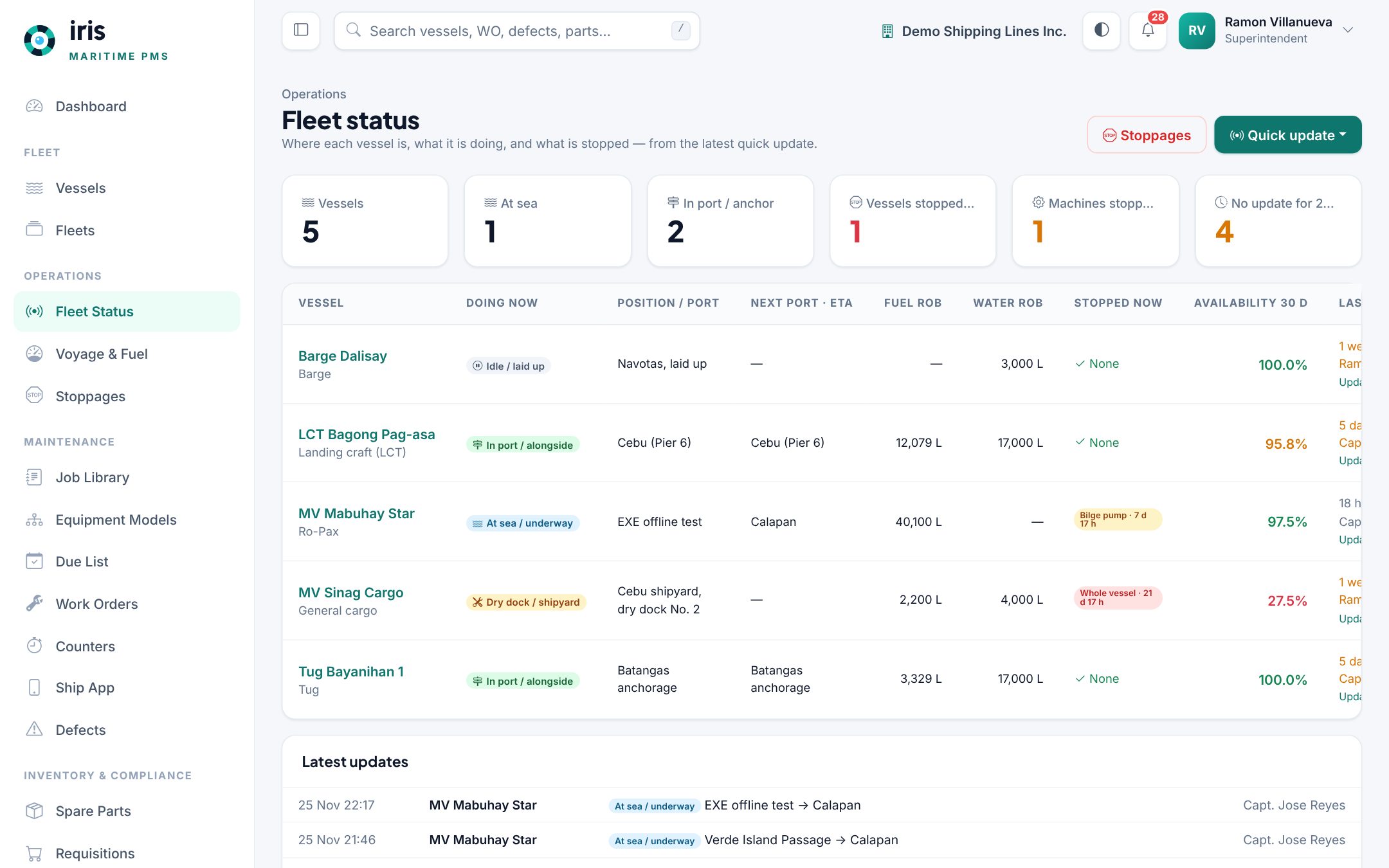
Fleet status & stoppages

One board that shows which vessel is sailing, in port or stopped — and why.

  • Quick status updates from the ship (also offline)
  • Stoppages with cause, start and end; availability per vessel
  • Spare-part transfers between vessels
Fleet status & stoppages in IRIS

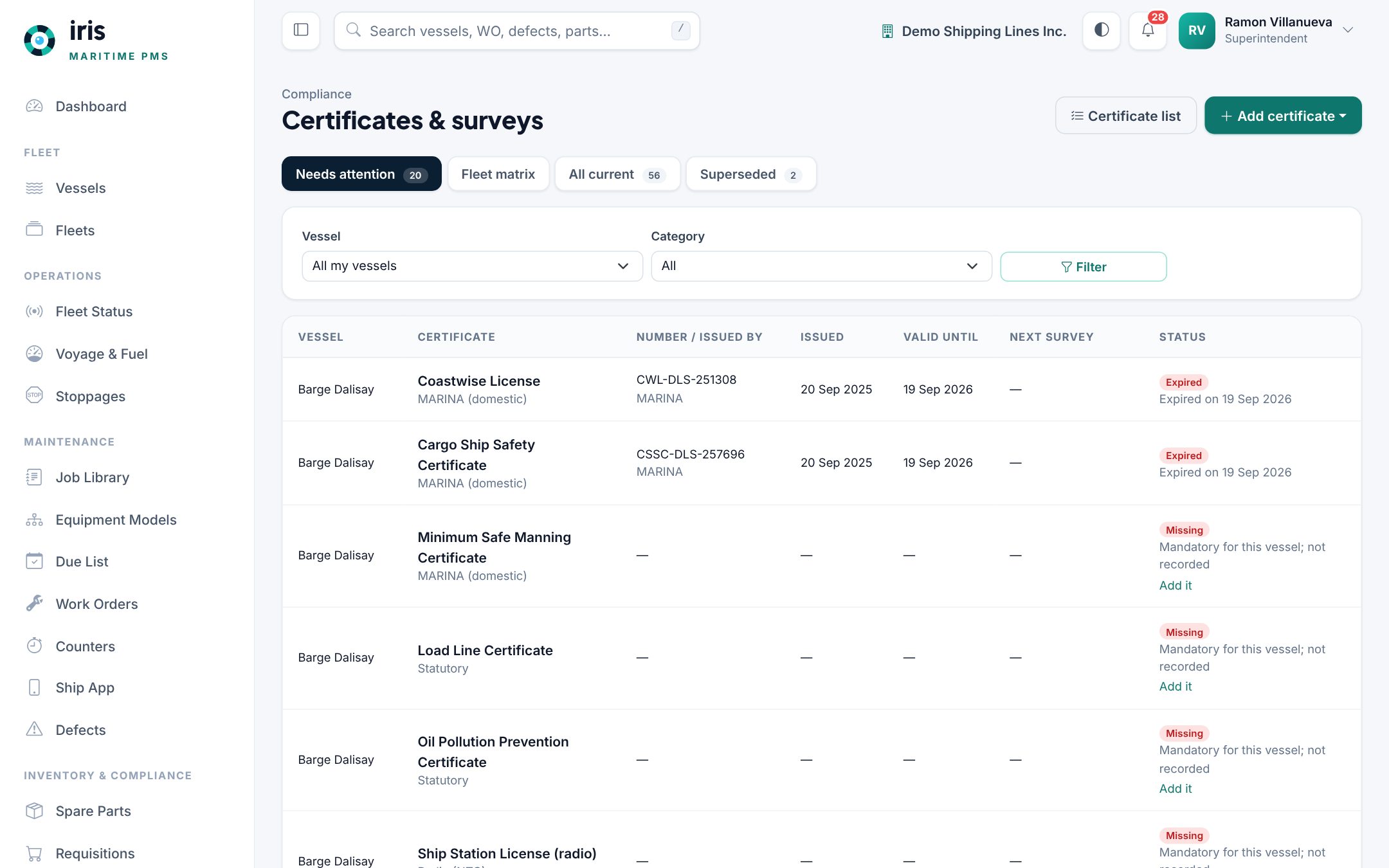
Certificates & surveys

Vessel certificates and crew certificates in one place, with reminders before they expire.

  • Certificate list to start from (flag, class, radio, insurance and others), editable for any flag
  • Annual / intermediate survey windows and endorsements
  • Crew certificates per person with expiry warnings
  • Daily e-mail digest of what is expiring
Certificates & surveys in IRIS

Spare parts & stores

Know what is on board, what is critical and what needs ordering.

  • Stock per vessel and location, minimum levels, critical / class spares
  • Parts used on a job are taken out of stock automatically
  • QR labels: scan a part or a machine to open it

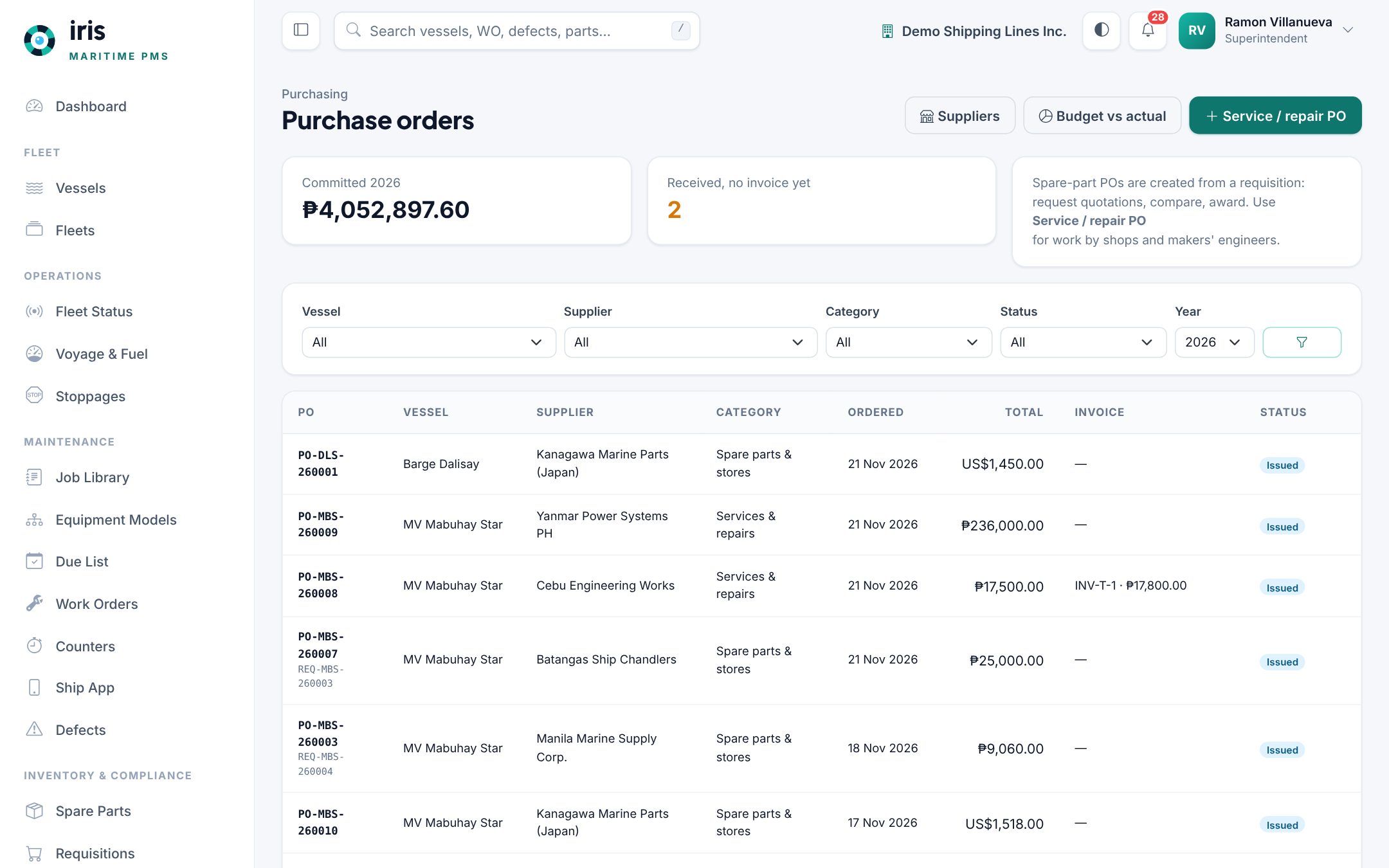
Purchasing & budget

From requisition to purchase order, with your taxes and currencies done right.

  • Requisitions from the ship, quotations from suppliers (RFQ by e-mail), comparison and award
  • Purchase orders with VAT / GST inclusive, exclusive, exempt or zero-rated, and withholding tax where it applies (e.g. Philippine EWT with the BIR 2307 note)
  • Approval limit: above it a PO waits for an approver (never the person who raised it)
  • Foreign-currency POs with exchange rates; budget vs actual per vessel and category
Purchasing & budget in IRIS

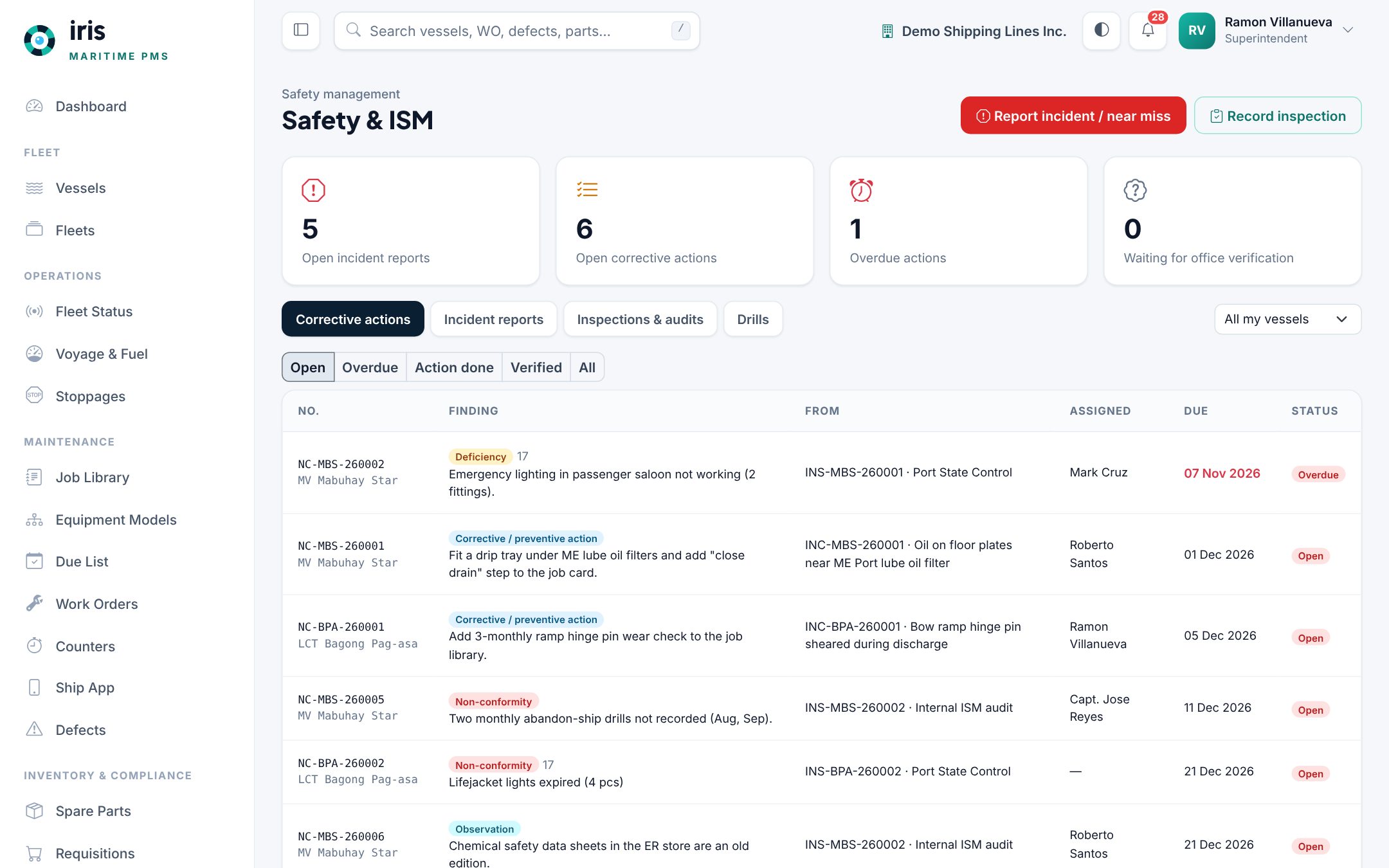
Safety & ISM

Incidents, inspections, findings and drills — tracked until closed.

  • Incident and near-miss reports with investigation and actions
  • Inspections and audits with findings and due dates
  • Drill schedule and records
Safety & ISM in IRIS

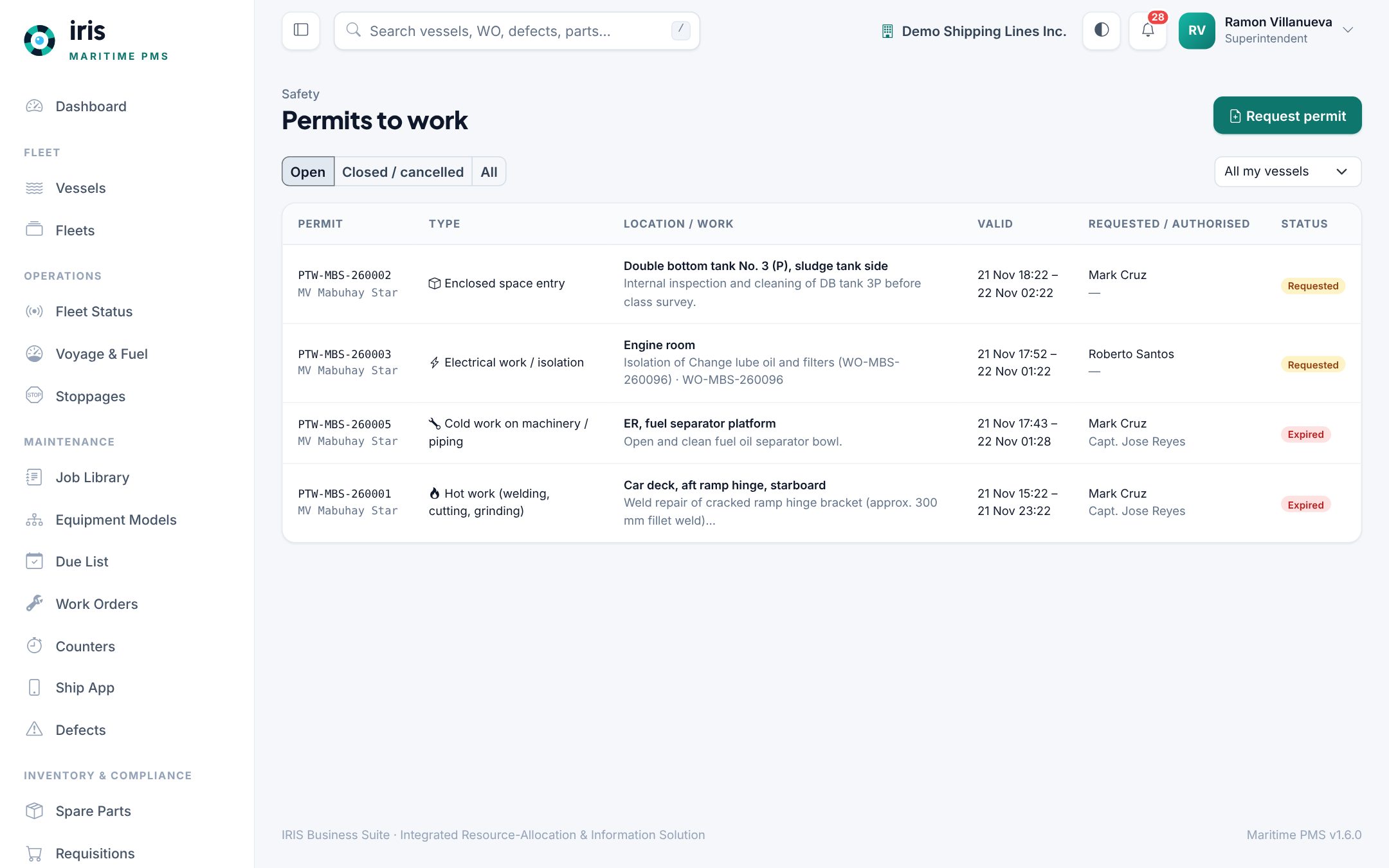
Permit to work

Hot work, enclosed space, electrical and work aloft — authorised only when it is safe.

  • Checklists per permit type and a 5×5 risk assessment before and after controls
  • Gas tests with limits (O₂, LEL, H₂S, CO); a bad reading suspends the permit
  • Authorised by the Master / Chief Engineer, never by the requester; printable for the work site
  • Jobs marked "permit required" cannot be signed off without one
Permit to work in IRIS

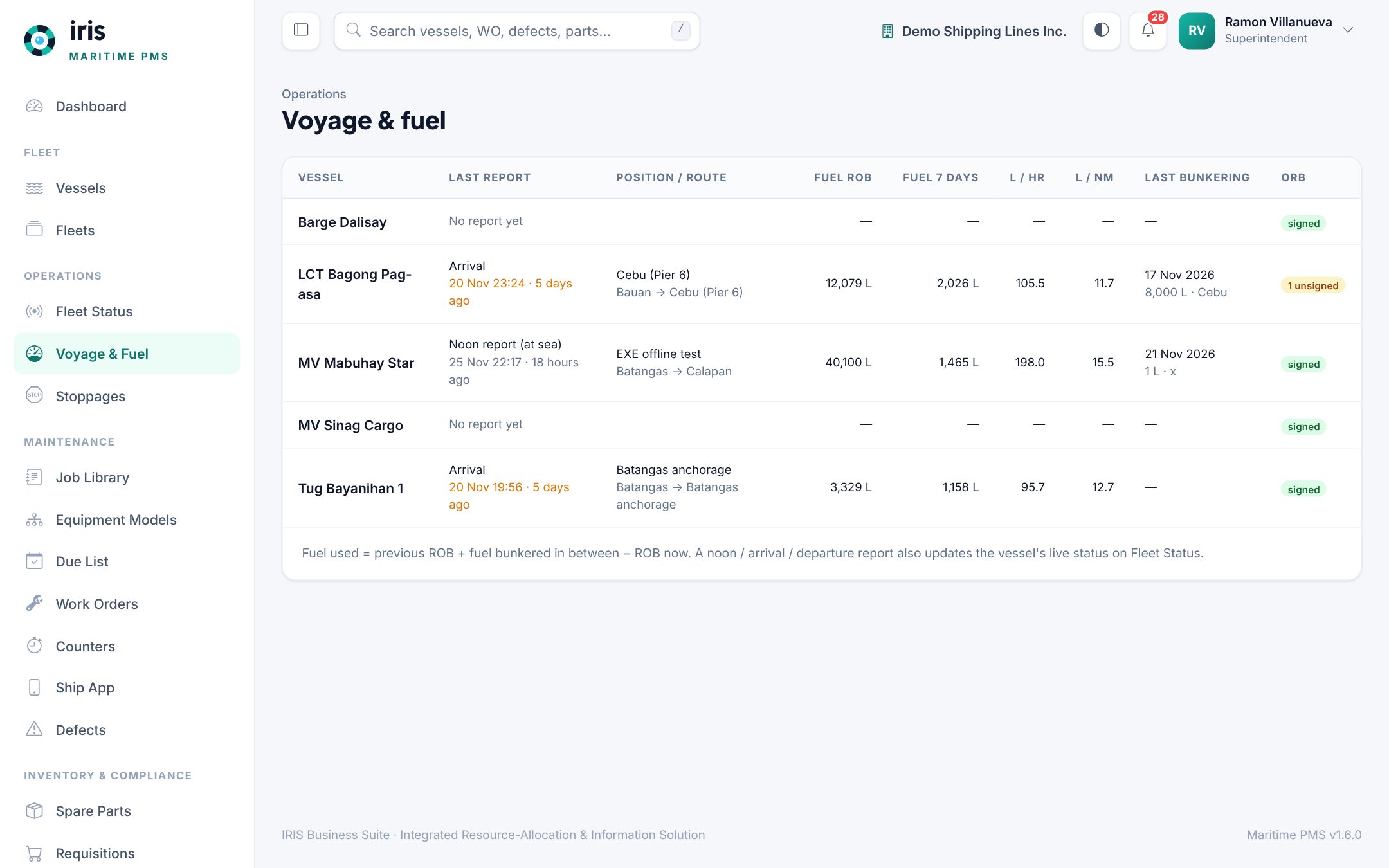
Voyage, fuel & Oil Record Book

Noon reports, fuel use and an electronic Oil Record Book that stands up to inspection.

  • Noon, departure, arrival and in-port reports from the ship app, even offline
  • Fuel used per day, per hour and per nautical mile, with a 30-day chart
  • Bunkering with BDN, density and sulphur check
  • Electronic Oil Record Book Part I: entries never edited, corrections kept, Master signs
Voyage, fuel & Oil Record Book in IRIS

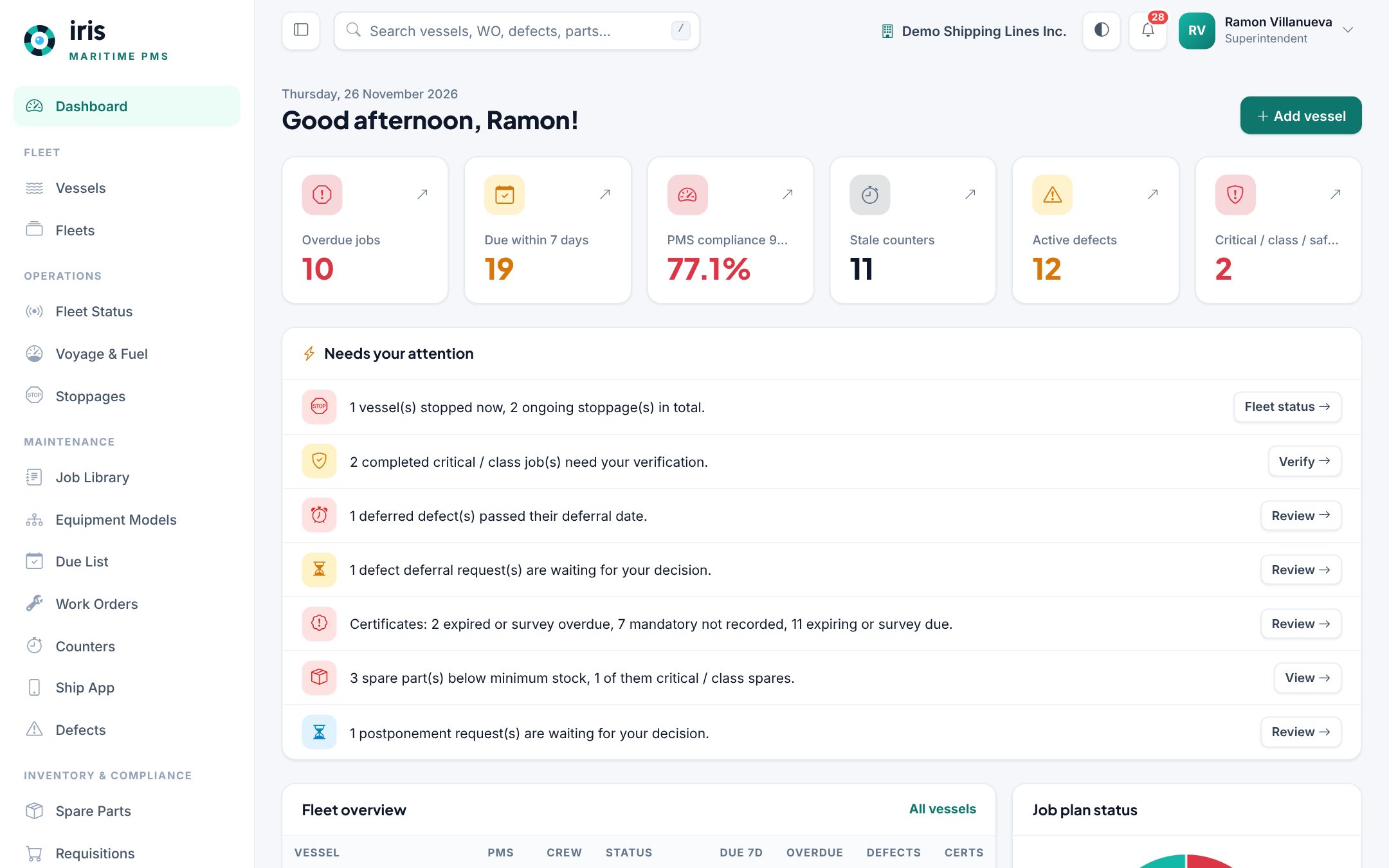
Reports & dashboards

PMS compliance, overdue jobs, defects and costs at a glance — for each vessel and the fleet.

  • PMS compliance %, overdue and due-soon jobs, defect trends
  • Excel exports and printable PDFs, audit snapshot per vessel
  • Audit trail of every change: who, what and when
Reports & dashboards in IRIS

Documents & QR labels

Manuals, drawings and procedures where the crew needs them.

  • Documents per vessel and machine, with versions
  • Printable QR labels for machines and spare parts; scan to open
Under the hood

Safe, backed up, kept up to date

Personal sign-ins & roles

Office, Master, engineers and crew each see what they need. Two-factor sign-in for the office.

Audit trail

Every change is recorded with who did it and when — useful for audits and inspections.

Nightly & offsite backups

The data and uploaded files are backed up every night and copied to a second place.

Safe updates

Signed updates installed from the browser, with a backup first and automatic rollback.

HTTPS

All traffic between ships, phones and the server is encrypted.

Import & export

Start from your Excel files; export lists and reports to Excel and PDF any time.

Want to see a module in action?

Tell us what matters most and we build the demo around it.

Book a demo
Book a demo